
Language
LANGUAGE To change the language on the Moonring platform, click on the three-line menu icon (☰). Then, at the bottom, click on the Country Flag followed by a 2 letter Language shortform. The default is the American flag followed by EN. 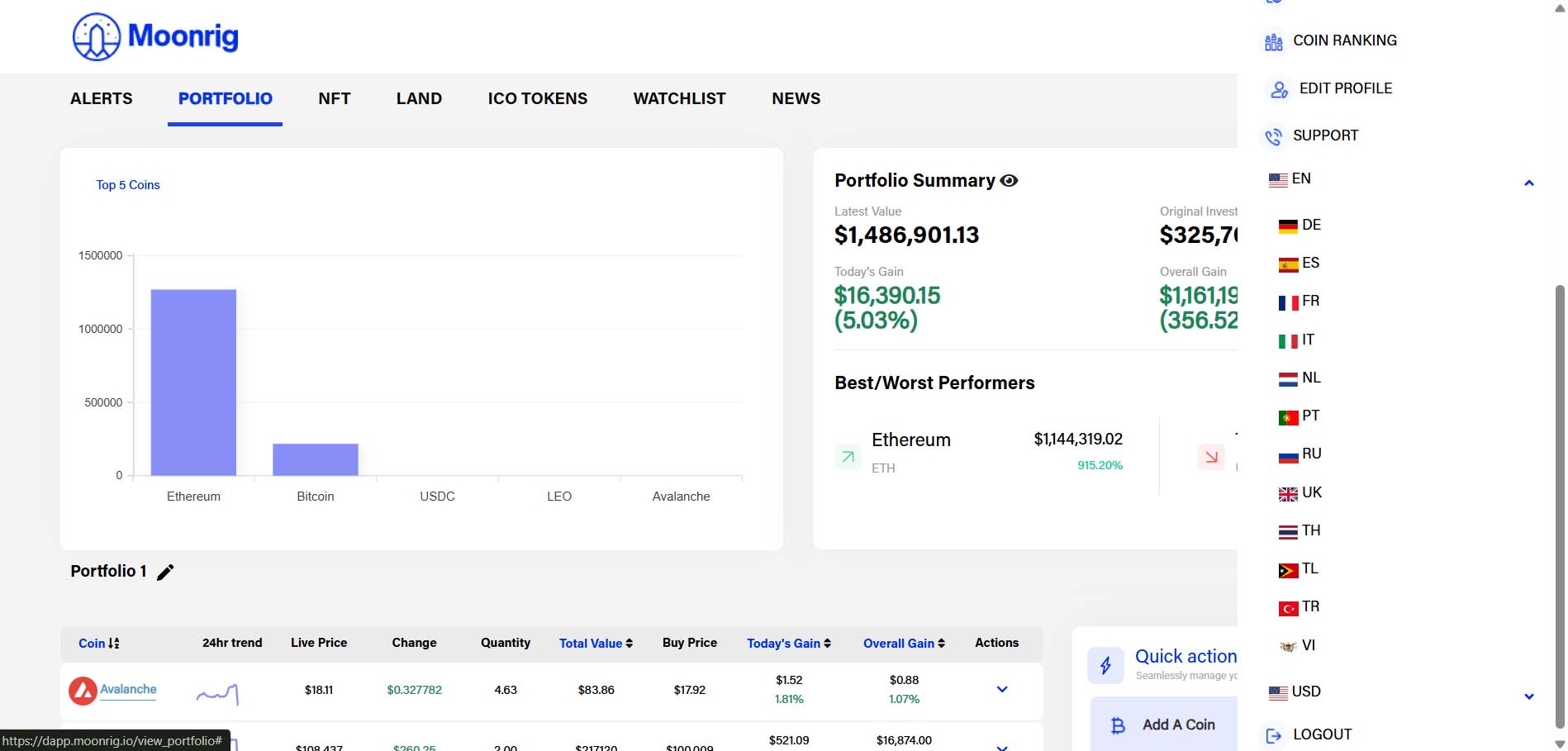 The following languages are currently being offered by our dApp
- English
- German
- Spanish
- French
- Italian
- Flemish
- Portuguese
- Russian
- Ukrainian
- Thai
- Tagalog
- Turkish
- Vietnamese