Watchlist
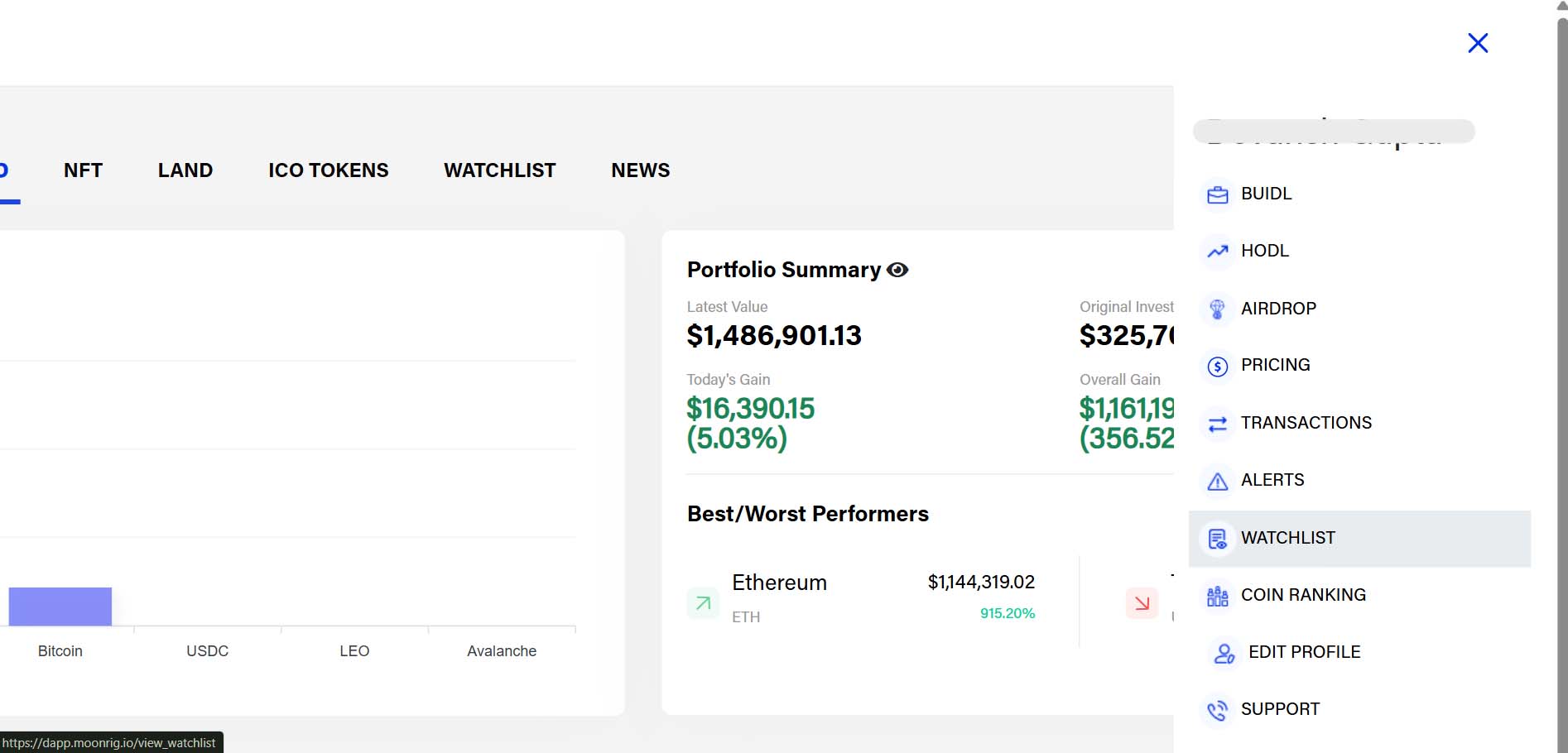
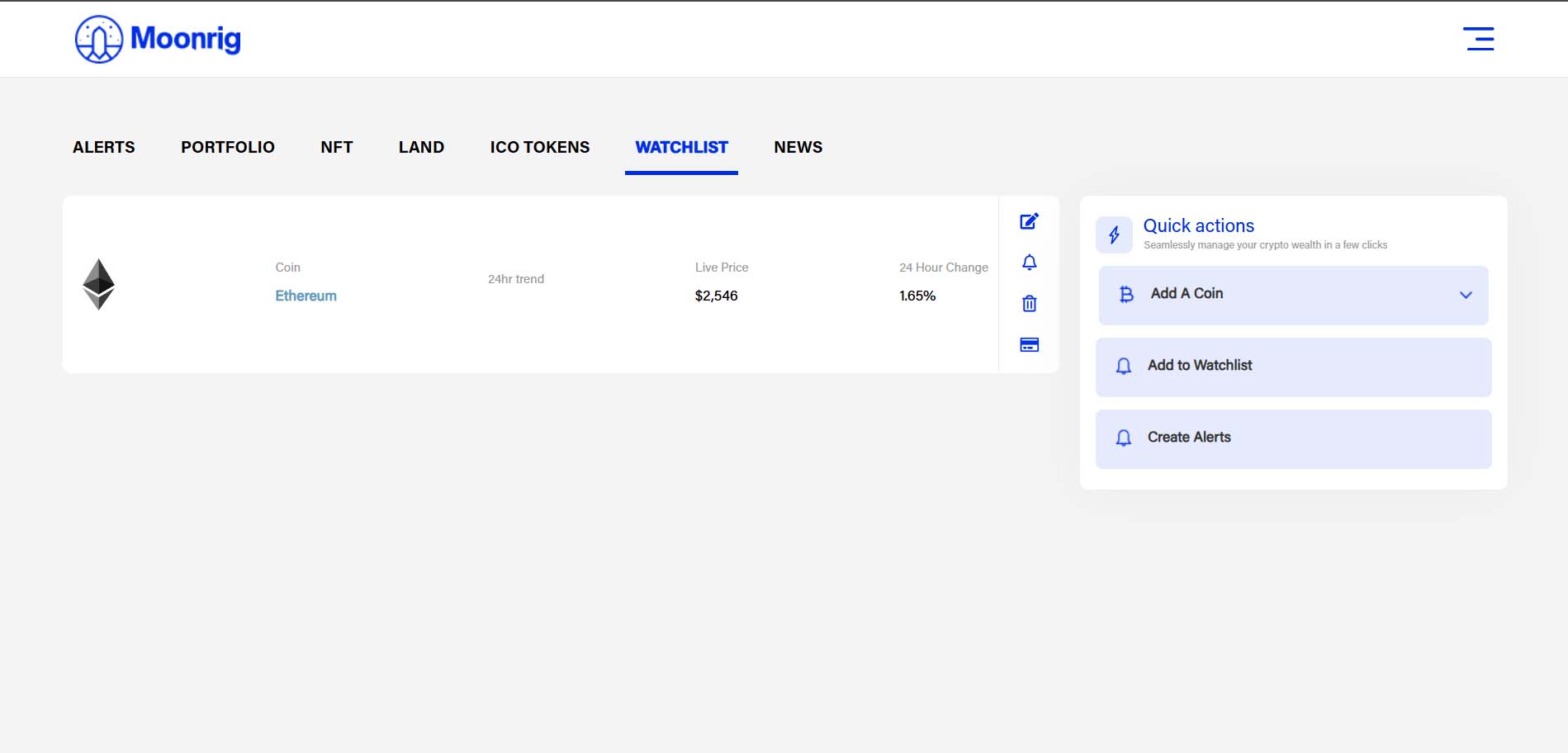
WATCHLIST The Watchlist helps you track coins without adding them to your portfolio. To add a coin to the Watchlist, you can access this feature by
- Clicking on WATCHLIST in the top menu (between ICO Tokens & News)
- Clicking on the three-line menu icon (☰) -> WATCHLIST
- Clicking on WATCHLIST in the ‘Quick Actions’ panel (on most pages)
NOTE: When a coin is added to the watchlist, there a gold star that is highlighted in the ‘Coin Ranking’ listings How to Use:
- Go to the Watchlist section from the menu.
- Click Add Coin.
- Select the coins you want to track.
- These coins will now appear in your Watchlist with live prices and trends.
You can remove or update coins from the Watchlist anytime.