
Options
QUICK ACTIONS - OPTIONS Add Coin Manually To know more in detail, refer to: Section 02: Account Set Up – Subsection 1: Add Coin Manually Wallet Import To know more in detail, refer to: Section 02: Account Set Up | Subsection 2: Import Coin from Wallet Address & Section 02: Account Set Up | Subsection 5: Import Tokens from Partisia Wallet Binance Portfolio Import To know more in detail, refer to: Section 02: Account Set Up | Subsection 3: Import Coin From Binance Wallet Import CSV File To know more in detail, refer to: Section 02: Account Set Up | Subsection 4: Import from CSV Create Alerts To know more in detail, refer to: Section 03: Product Menu | Subsection 6: Alert ADD DIGITAL ASSETS This includes non-token assets like:
- Add NFTs – Track your non-fungible tokens
- Add Metaverse Land – Manage digital land holdings
- Add Game Tokens – Add tokens related to play-to-earn games
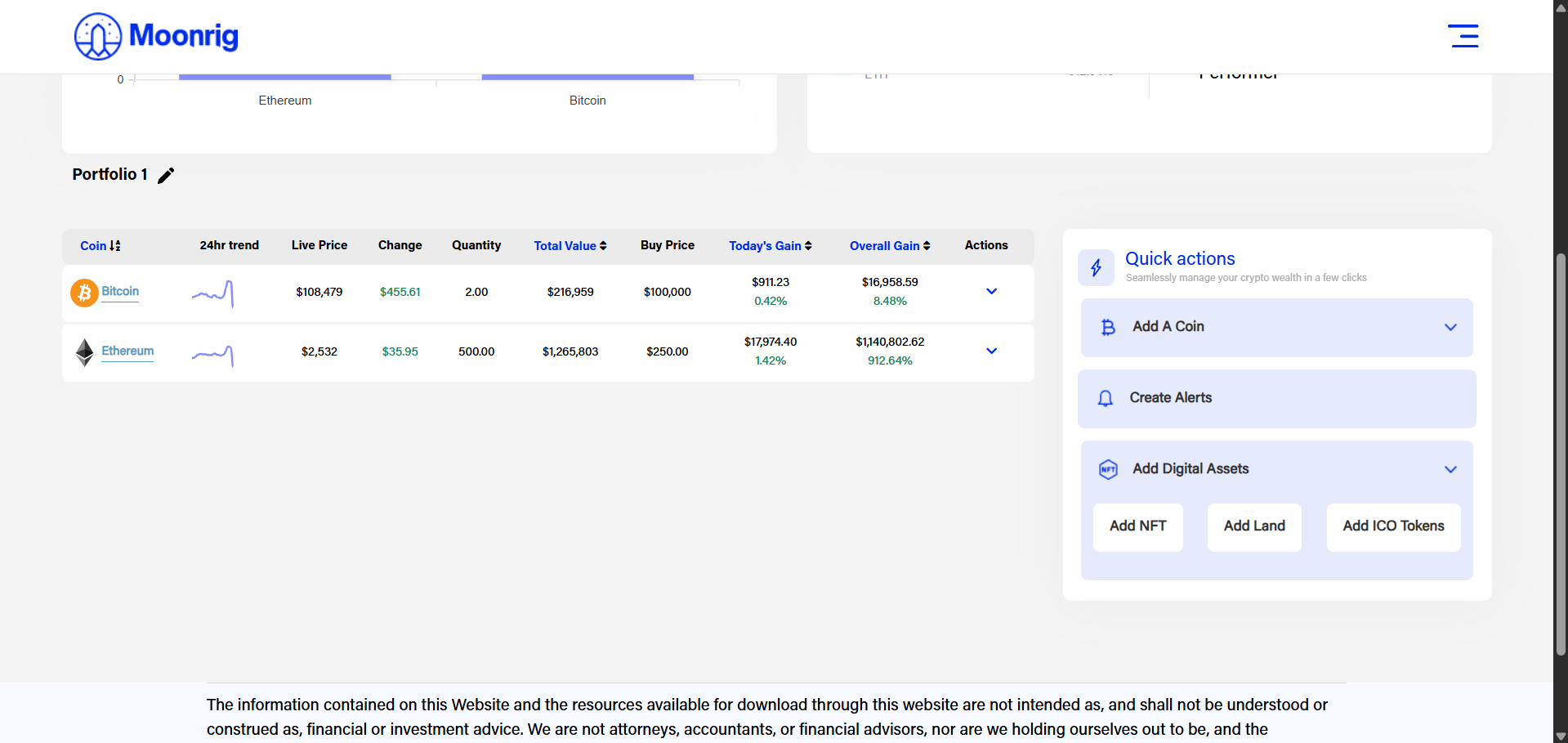 Add NFT To know more in detail, refer to: Section 05: HODL | Subsection 4: Add NFT Add Land To know more in detail, refer to: Section 05: HODL – Subsection 5: Add Land Add ICO TOKENS To know more in detail, refer to: Section 05: HODL | Subsection 6: Add ICO Tokens